
What Is a Keylogger? Types, Risks, and How to Stay Safe
Discover how keyloggers work, explore their types, and learn how to protect your passwords and personal information.


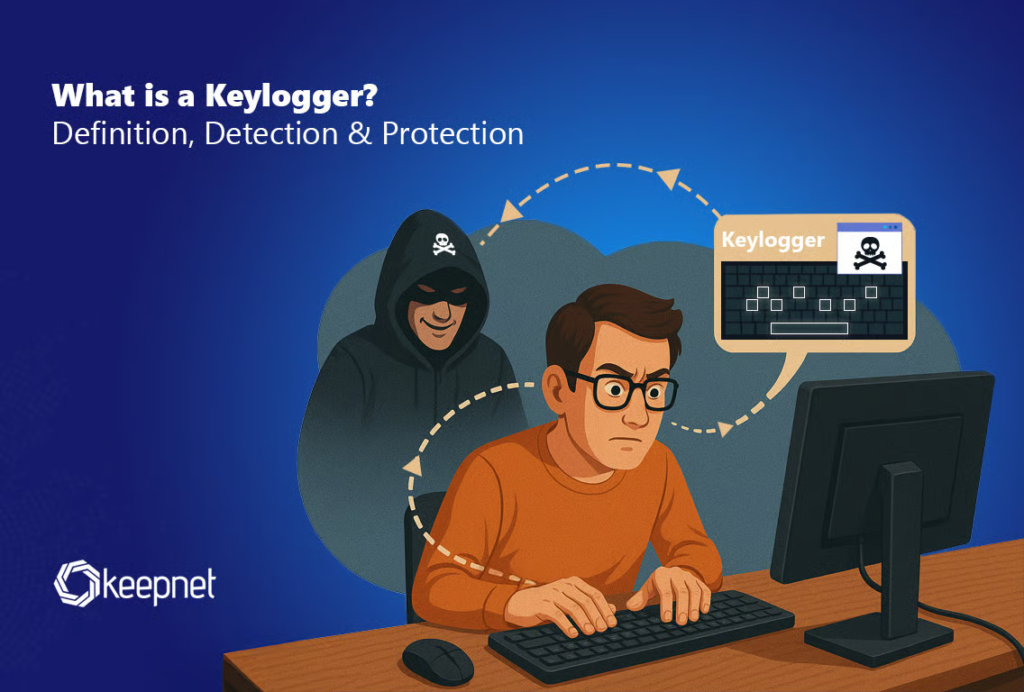
A keylogger is a tool that records the keys a person presses on a keyboard. It can be used for legitimate purposes, such as authorized monitoring and cybersecurity research, but cybercriminals can also use it to steal passwords and other sensitive information. Understanding what a keylogger is helps you recognize potential threats and protect your personal data.
Keyloggers can affect computers, laptops, and mobile devices. Some operate through software, while others use physical hardware to capture keyboard input. Depending on their design, they may collect login details, messages, and other information entered by a user.
In this guide, you will learn how keyloggers work, explore their common types, understand their risks, and discover practical ways to protect your devices from unauthorized monitoring.
What Is a Keylogger and How Does It Work?
A keylogger, also called a keystroke logger, is a tool designed to record keyboard input. It captures keystrokes and may store the collected information on a device or send it to another system.
A software keylogger runs as a program on a computer or mobile device. Depending on its permissions, it may monitor keyboard activity without making its presence obvious. Malicious versions may transmit recorded information to an attacker.
A hardware keylogger uses a physical device to capture keystrokes. Some connect between a keyboard and a computer, while others may be built into modified hardware.
For example, if a malicious keylogger records someone entering a password, an attacker who obtains that information may attempt to access the associated account.
However, not every keylogger is malicious. Some monitoring tools have legitimate uses when deployed transparently, with proper authorization and respect for privacy laws.
What Are the Different Types of Keyloggers?
Keyloggers come in several forms. Understanding their differences helps explain how they operate and why some can be difficult to detect.
1. Software Keyloggers
Software keyloggers are programs that monitor keyboard activity. They may reach a device through suspicious downloads, malicious email attachments, compromised applications, or security vulnerabilities.
Cybercriminals often use malicious versions to collect passwords and other private information. Legitimate monitoring software, however, should operate with appropriate permission and clear privacy safeguards.
2. Hardware Keyloggers
Hardware keyloggers are physical devices designed to record keyboard input. They may connect to a keyboard port or form part of modified equipment.
Because these devices may not install software on the computer, antivirus programs might not detect them. Checking unfamiliar hardware connections and using trusted equipment can help reduce the risk.
3. Kernel-Level Keyloggers
Some keyloggers operate at a deep level within an operating system. They may attempt to access keyboard activity through system components, potentially making detection more difficult.
Malicious versions can be particularly concerning when they gain elevated system privileges. Keeping your operating system updated and limiting administrative access can help reduce exposure.
4. Browser-Based Keylogging Threats
Some malicious scripts capture information entered into website forms rather than recording every keystroke across a device. These attacks may target login pages, payment forms, and other sensitive fields.
Although these threats are not always traditional keyloggers, they can create similar security and privacy problems.
Why Are Keyloggers Dangerous?
The biggest risk of a malicious keylogger is the exposure of private information. The actual damage depends on what the tool records and whether an unauthorized person obtains the data.
Common risks include:
- Password theft: Recorded login details may allow criminals to attempt unauthorized account access.
- Financial fraud: Sensitive information entered on financial websites may be exposed.
- Privacy violations: Personal messages, searches, and confidential work information may be recorded.
- Identity theft: Stolen personal information may contribute to fraudulent activities.
- Business security risks: Employee credentials and confidential company information may become vulnerable.
A keylogger does not automatically give an attacker access to every account. Strong security measures, including multifactor authentication, can provide additional protection if a password is compromised.
How to Detect a Keylogger on Your Device
Detecting a keylogger can be challenging because some versions are designed to remain hidden. Unusual device behavior may justify an investigation, but no single symptom confirms that a keylogger is present.
Watch for unfamiliar applications, unexpected browser extensions, unusual permission changes, or alerts from security software. Slow performance and unusual network activity can have many causes, so consider them warning signs rather than proof of an infection.
To investigate a possible threat, follow these steps:
- Run a security scan using reputable, updated antivirus software.
- Review installed applications and investigate programs you do not recognize.
- Update your operating system, browser, and other software.
- Check browser extensions and remove those you do not trust.
- Review device permissions for unexpected access to sensitive information.
- Seek help from a qualified technician if you suspect a serious compromise.
If you believe your passwords have been captured, use a separate, trusted device to change them and review recent activity on important accounts.
How to Protect Yourself From Keyloggers
Good cybersecurity habits can reduce the risk of keylogger infections and unauthorized monitoring.
Keep Your Software Updated
Install security updates for your operating system, browser, and applications. Updates often fix vulnerabilities that attackers may exploit.
Download Software From Trusted Sources
Avoid suspicious downloads, pirated programs, and unexpected email attachments. Before installing an application, check its publisher and make sure the download source is trustworthy.
Use Reliable Security Software
Reputable security software can identify and remove many malicious programs. Keep its protection features updated and investigate any security warnings.
Enable Multifactor Authentication
Multifactor authentication adds another verification step beyond a password. Consider using passkeys, security keys, or an authenticator app where supported.
Use Strong, Unique Passwords
A password manager can create and store unique passwords for different accounts. This reduces the risks associated with password reuse, although it cannot prevent every type of device compromise.
Protect Physical Access to Your Devices
Avoid leaving computers unattended in untrusted environments. On shared devices, do not enter sensitive information unless you can reasonably trust the system. Check unfamiliar hardware connections when practical.
Are Keyloggers Legal?
The legality of keyloggers depends on the country, the purpose of monitoring, the circumstances, and whether appropriate consent has been obtained.
Organizations may use authorized monitoring under applicable laws and workplace policies. Cybersecurity professionals may also study keyloggers in controlled environments to understand digital threats.
However, secretly recording another person’s activity, stealing credentials, or accessing accounts without permission can violate privacy and computer misuse laws. Always obtain proper authorization before monitoring a device or another person’s keyboard activity.
Frequently Asked Questions
Can a keylogger steal passwords?
Yes. A malicious keylogger can record passwords as they are typed. Unique passwords, multifactor authentication, and regular account reviews can help reduce the risks.
Can antivirus software detect a keylogger?
Antivirus software can detect many known keyloggers, but detection is not guaranteed. Hardware keyloggers may also require physical inspection.
Can mobile phones have keyloggers?
Yes. Mobile devices can be affected by malicious applications and other monitoring techniques. Download trusted apps, review permissions, and install operating system updates regularly.
Does every keylogger contain malware?
No. Keylogging describes the recording of keyboard input. Whether its use is malicious depends on the purpose, authorization, transparency, and handling of collected information.
Final Takeaway
A keylogger is a tool that records keyboard input and can be used for legitimate monitoring or malicious information theft. Understanding its types, recognizing possible warning signs, and following good cybersecurity practices can help protect your passwords and private information. Keep your devices updated, download software carefully, enable multifactor authentication, and investigate suspicious activity promptly.
read more: https://publishbuddie.co.uk/


One Comment